Encrypted streaming on public Wi-Fi. Throttle-resistant on slow ISPs. Your home Disney+ library, wherever you're connecting from.
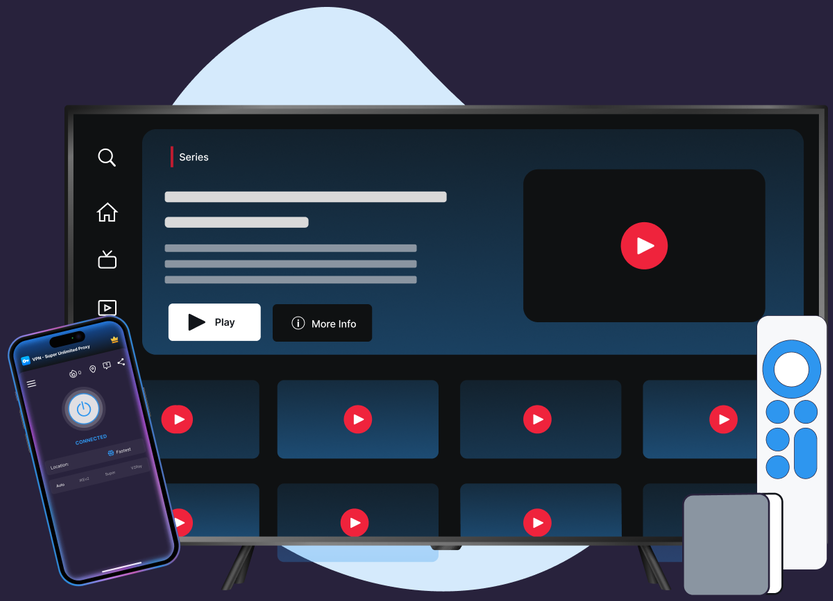
Protocols, leak protection, and platform coverage chosen for streaming reliability and privacy.
OpenVPN and IKEv2 keep mobile and Android TV connections stable; WireGuard powers Windows and the Mac app. VPN Super picks Auto by default so you don't have to.
VPN Super's Kill Switch is live on iOS (VPN on-demand), with Windows and Android rollout underway. TV apps and macOS don't have a Kill Switch yet.
Windows and Mac both ship DNS and IPv6 leak protection. iOS and Android support is still to come—your Disney+ traffic still runs through VPN Super's encrypted tunnel either way.
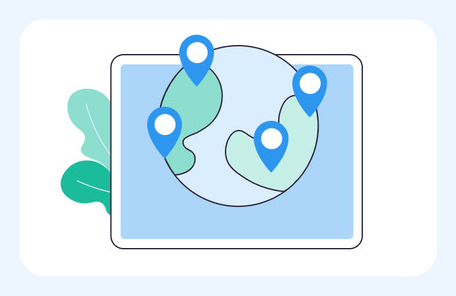
Premium covers 60+ countries and 100+ locations across iOS, Windows, and Mac. If a server's slow, switch to another—or let Fastest Location pick the lowest-latency option for you.
iOS, Android, Windows, Mac, Apple TV, and Android TV. Built for streaming on the device you're already using to watch Disney+.
VPN Super doesn't log what you do online. What you stream on Disney+ stays your business.
No country-switching, no changing what's in your library. Just connect VPN Super and open Disney+.
Download VPN Super for iOS, Android, Windows, Mac, Apple TV, and Android TV.
Tap Fastest Location at the top of the server list. VPN Super picks the lowest-latency server automatically.

Your session is encrypted end to end—private and throttle-resistant on every platform VPN Super ships.
If Disney+ shows Error Code 73, switch protocols (Auto → Super → IKEv2 → OpenVPN on mobile; WireGuard or OpenVPN on Windows) and reconnect to a server in your home country.
Honest answer, including what Disney+'s own help center says about what happens when it detects a VPN or proxy.
Disney+'s Help Center describes an error, Error Code 73, that appears when it detects a VPN, proxy, or unblocker service, and asks you to disable it to keep streaming. VPN Super doesn't promise to get around that detection.

Disney+ shows the catalog it has worldwide licensing rights to—and that varies by region. That's true with or without a VPN; a VPN doesn't unlock a different library.

Disney+'s own Help Center publishes an article about Error Code 73, the message that appears when Disney+ detects a VPN, proxy, or unblocker service connected to your account. VPN Super doesn't promise to get around that detection—see the troubleshooting steps below for what to try if you see it.

Privacy on public Wi-Fi, throttle-resistance on slow ISPs, and a stable connection to your home library while traveling—the parts of streaming a VPN can actually improve.
A sample of VPN Super's server locations—chosen for coverage and low latency, not for content access.
What changes when you add VPN Super to your Disney+ streaming session.
| Features | Without a VPN | VPN Super |
|---|---|---|
| Public Wi-Fi privacy | Traffic is visible to the network you're on | Encrypted end to end |
| ISP throttling | May slow streaming at peak hours | Traffic shape is hidden—harder to throttle |
| Leak protection (DNS/IPv6) | Not applicable | Available on supported platforms—see device pages for per-platform status |
| Disney+ catalog | Determined by your account's licensed region | Same catalog—unchanged by VPN Super |
| Devices covered | One connection at a time | Up to 10 devices on one VPN Super subscription |
Download VPN Super on the platforms you actually use to stream Disney+ at home and on the go.




"Amazing app! I've been able to access different applications that were once banned in my region"
"Great VPN with fast speeds and instant connection. Has no timeout and has many locations as well."
"This is one of the best apps you can get if you're trying to access content while travelling internationally."
Three reasons that don't depend on changing what's in your Disney+ library: privacy on public Wi-Fi, resistance to ISP throttling during peak hours, and staying connected to your home Disney+ subscription while traveling on a different network.
Disney+ actively checks for VPN and proxy use and publishes its own Help Center article about the resulting location error, Error Code 73. VPN Super is a privacy tool, not a way to get around that detection—see the troubleshooting steps above for what to try if you see it.
Detection systems occasionally flag legitimate connections. Reconnecting to a different VPN Super server or protocol, or restarting the Disney+ app, usually resolves a false positive.
Yes, using a VPN is legal in the US. Disney+'s own Terms of Service govern how its service may be accessed, so always follow Disney+'s terms.
VPN Super's Auto protocol picker is built to keep latency low, so most people notice little to no difference streaming Disney+. Each server shows its current latency in the app, and Fastest Location auto-picks the lowest one for you.
Kill Switch is live on iOS today (VPN on-demand). Windows and Android support has been rolling out—check the home screen for the current status on your device. TV apps and macOS don't have a Kill Switch yet.
iPhone, Android, Windows, Mac, Apple TV, and Android TV, so you can watch Disney+ privately on whichever device you use.
Yes—VPN Super's free VPN on iOS gives 20 countries and 42 locations; Android gives 15 countries and 26 locations. Windows, Mac, and the TV apps are Premium only.
Yes—VPN Super encrypts your connection so your Disney+ activity stays private on shared networks like cafés, airports, and hotels.
Up to 10 devices at the same time—handy since Disney+ is often a shared household subscription. Enough for a couple of phones, a laptop, a tablet, and a TV app or two.
VPN Super has 250K+ ratings on the iOS App Store and 500K+ on Google Play. For more on what's available to watch, see VPN Super's guide to Is Family Guy on Disney Plus?
Free on mobile, Premium for desktop and TV. One VPN Super subscription protects up to 10 devices.