Google play store icon
1.43M Reviews

Android TV VPN for smoother streaming

Unlock a faster, better streaming experience on your Android TV, get around ISP throttling, and connect your TV to servers around the world with one app.

Get VPN Super

30-day money-back guarantee

Apple TV showing VPN Super interface, with Siri Remote, plant, padlock, and film slate
Blue server stack icon with three horizontal lines and server status indicators.
35+ server locations
Blue rocket icon with small stars around, symbolizing space launch or exploration.
Faster priority servers
Simple blue play button icon with a triangular shape pointing right.
Available on the Google Play Store

How to install VPN Super on Android TV

VPN Super has a dedicated Android TV app, so the installation is the same as any other TV app. Just make sure you have a Premium subscription first.
1
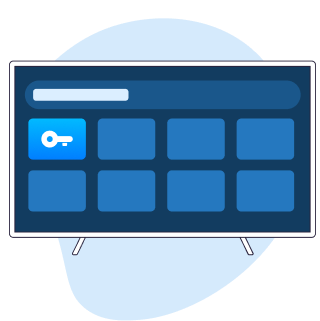
Find the app
On your Android TV or Google TV home screen, open the Google Play Store and search for VPN Super (also listed as VPN - Super Unlimited Proxy).
Smart TV interface showing app icons with a highlighted key symbol on a blue tile.
2
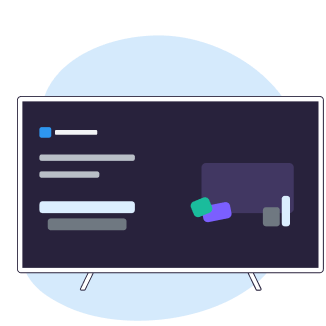
Install and sign in
Install the app, then open it from your apps row. Sign in if you already have a VPN Super account, or create one here.
Dark interface panel with lines and blocks of text and shapes on a light blue abstract background.
3
Choose a location
Pick a server location, then select “Connect”. Once you see “Connected”, your TV is using the VPN.
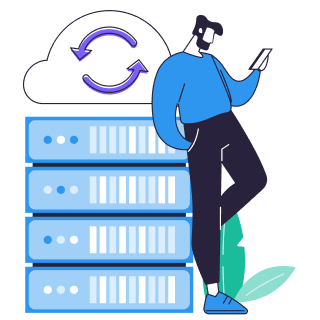
Person leaning on servers with cloud sync symbol overhead, representing cloud data backup.
blue light-bulb icon
Compatibility note:
The same three steps work on devices running Android TV 8.0 or later, such as Sony TVs, Google TV streamer boxes, and Nvidia Shield devices that include the Google Play Store. Other devices, such as Samsung and LG TVs, FireTV, and Roku, don’t run Android TV and are not compatible.

Why VPN Super for Android TV?

Unlock streaming illustration

Stream more freely

Connect through different server locations when networks or regions get in the way, giving you more flexibility with streaming your favorite shows and movies.

Private connection illustration

More private connections at home

VPN Super encrypts your TV's connection using modern, industry-standard encryption, so what you watch can’t be tracked by your internet service provider (ISP).

Multi device coverage illustration

One subscription, every screen

The same Premium subscription that protects your TV also covers your phone, tablet, laptop, and PC—up to 10 devices on one account.

Avoid interruptions illustration

Optimized for Android TV

The Android TV App was designed for a remote, not retrofitted from a phone. Big buttons, simple navigation, and a one-click “Connect” button on the home screen.

Illustration showing a TV with a connected Apple TV remote, gear icons, and decorative shapes representing how a VPN works on Apple TV

What a Premium subscription adds for TV viewers

  • Faster priority servers
    Connect to Premium servers built for smoother 4K streaming and busy Wi-Fi, without ISP throttling.
  • 35+ global locations
    Stream your favorite shows from anywhere. We keep our servers tuned for reliable access.
  • Ad-free experience
    Switch locations, reconnect, and get back to watching without ad interruptions.
  • No activity logs
    VPN Super doesn’t track or store your activity, giving you a clearer privacy layer.
Get VPN Super

A better way to stream on the big screen

VPN Super helps you maximize your Android TV setup.

Person sitting and using a tablet with a large globe behind them.
Streaming on the go
Keep the Android TV setup you love even when you’re abroad.
Open laptop with a large wireless signal icon and a small padlock symbol representing Wi-Fi protection.
Public Wi-Fi protection
Stay secure on shared Wi-Fi in apartments or hotels.
Illustration of a globe with three blue location pins connected by dotted lines.
Location flexibility
Appear to be anywhere in over 35+ locations worldwide.
Laptop, smartphone with shield icon, and documents with padlock symbolizing data security and protection.
All under one roof
Cover all your family’s devices with one Premium subscription.

Why people love streaming with VPN Super

quote markstar rating
One of the best apps you can get if you're trying to access content while travelling internationally or just for security.
A T, March 2026
quote markstar rating
The connection is fast and stable, and it's very easy to use, even for beginners.
Trace Adkins, December 2025
quote markstar rating
This app has consistently allowed me to bypass geo-restrictions to watch content like Netflix, international sports, foreign YouTube channels that I can't access in my region.
Derel Valdez, December 2025
Get VPN Super

Frequently Asked Questions

Illustration of person holding information icon next to document and purple paper airplane on a screen.
How do I install VPN Super on Android TV?
Open the Google Play Store on your Android TV or Google TV, search for “VPN - Super Unlimited Proxy”, and install the app. Open it, sign in, choose a server location, and select “Connect”. The same three steps work whether you have a Sony Bravia, an Nvidia Shield, or a Google TV device with the Play Store on it.
Does VPN Super work on Sony Android TV and Google TV?
Yes. VPN Super has a dedicated Android TV App that runs on Sony Bravia models with Android TV or Google TV, Google TV devices, Chromecast with Google TV, and Nvidia Shield devices that include the Google Play Store.
Can I use VPN Super on Nvidia Shield or Chromecast?
Yes, with one detail to note. Nvidia Shield runs Android TV and supports the VPN Super App directly from the Play Store. Chromecast with Google TV also runs Google TV, so it supports the app directly. Older Chromecast dongles that only cast from another device do not run apps—for those, install VPN Super on the phone or laptop you use to cast.
Will a VPN slow down 4K streaming on Android TV?
Any VPN adds a small overhead because traffic is encrypted and routed through a server. With a Premium subscription to VPN Super, faster priority servers help keep HD and 4K streams smooth. If a stream feels slow, switch to a closer server location, or try another nearby location. Connecting to a server geographically closer to you usually gives the steadiest speeds.
Why do server locations matter when using a VPN on Android TV?
A VPN can improve privacy by encrypting supported traffic and changing the IP address visible to some services. It does not make you completely anonymous,  neither does it block every tracker or replace privacy settings within individual streaming apps.

Get VPN Super on your Android TV

A VPN helps you get more out of your Android TV by adding a simple privacy layer, more location flexibility, faster priority servers, and coverage for up to 10 devices.

Get VPN Super
Apple TV with Siri Remote on dark background