
Choose the best VPN for Mac
Smart server selection and modern protocols help your Mac stay quick on downloads, calls, and 4K streams—with your privacy front and center.
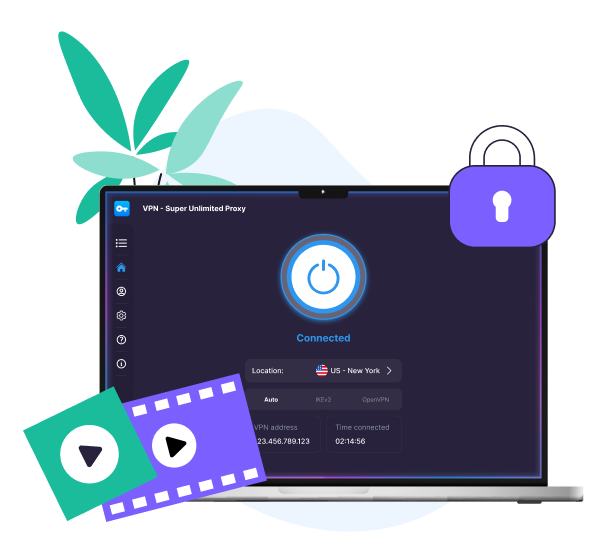


How to set up VPN Super on your Mac
1
Install the VPN
Download VPN Super for Mac for native Apple Silicon support and compatibility with macOS 13–26.

2
Sign in to Premium
Open VPN Super and sign in with your Premium account to unlock full access.
.png)
3
Connect & browse
Choose a server, hit Connect, and browse fast, securely, and privately.
.png)
Why use a VPN for Mac?

Why use a VPN for Mac?
A VPN for Mac encrypts your traffic and hides your IP address, so your browsing stays private, and your connection stays stable wherever you are.
- Protect your browsing on any network, so your activity stays private even on public Wi-Fi hotspots in cafés, airports, and shopping malls.
- Change your virtual location. Connect to a server in another country to enjoy a different selection of sites and services.
- Keep your work private on the road. If you’re traveling, a VPN for Mac OS helps keep your calls, downloads, and logins protected on public Wi-Fi.
- Stream in HD. VPN Super's worldwide servers and modern protocols help you enjoy smoother playback on any Mac—Apple Silicon or Intel.
- Get a VPN on everything. Cover up to 10 devices—your MacBook, iPhone, tablet, PC, or even your Apple TV—under a single account.
How to choose the best VPN servers on Mac
What you're doing
Recommended VPN server
What you’ll enjoy
Everyday browsing
Closest to your real location
Lowest latency for video calls, downloads, and iCloud sync
Streaming US content
United States
Reliable access to major US streaming platforms
Streaming UK and EU content
United Kingdom or Germany
Reliable access to major UK and EU streaming platforms
Traveling in Asia-Pacific
Singapore or Japan
Stable speeds across major regional hubs
Connecting to public Wi-Fi
Any server close to you
Private internet access in cafés, airports, and hotels
Get the fastest VPN for Mac

Smart server selection
Automatically connects you to the fastest location based on the latency between your device and our servers.

Modern VPN protocol
The WireGuard protocol gets you fast speeds and strong encryption, great for streaming and gaming.
.png)
In-app speed metrics
See latency per server before you connect, so you can pick the best fit for a Zoom call or 4K stream.
Why VPN Super is built for Mac
Apple Silicon-native
Runs natively on M1, M2, M3, M4, and M5 Macs, so it handles Figma, Zoom, and without interruptions.
.png)
.png)
Menu-bar experience
Connect from the macOS menu bar without leaving the app you're in, whether that's Chrome, Mail, or full-screen video.
Worldwide server network
Access high-capacity servers from practically anywhere around the world. No slowdowns or buffering.
.png)
.png)
Unlimited bandwidth
No data caps and no throttling, so you can stream, download, and back up to iCloud freely.
No activity logs
VPN Super doesn’t keep logs of your online activity, so your browsing, streaming, and downloads stay yours.
.png)
.png)
Modern, industry-standard encryption
WireGuard protocol creates a secure tunnel for your traffic, so your browsing stays private from third parties on shared Wi-Fi.
Why people love VPN Super


It is a great app especially in my country where I can connect to different server which works properly.
Zaneillio Campbell
April 2026
VPN Super delivers exactly what it promises. The connection is stable and the interface is very user-friendly.
Ahmad Khan
February 2026
Great VPN app! Fast connection, easy to use, and works very well.
Abdulkarim Abubakar
February 2026
Frequently Asked Questions
.png)
What is a VPN for Mac?
A VPN for Mac encrypts your internet traffic and hides your IP, so your browsing stays private on any network—personal Wi-Fi, office networks, or public hotspots in cafés, airport lounges, or hotels.You can also connect to virtual locations all over the world, depending on what servers the VPN service offers. This masks your IP address and assigns you a new IP address in the server location of your choice. VPN Super's Mac app lets you choose servers in 100+ locations. It also runs natively on Apple Silicon and Intel, and connects to VPN in just a few seconds.
What is the best VPN for Mac?
VPN Super is a strong choice because it's Apple Silicon-native, quick on modern networks, and supports up to 10 devices under a single Premium subscription. You get encrypted browsing, worldwide servers in 100+ countries, and no activity logs, all from a clean app built for macOS.
What is a good VPN for Mac for most people?
A good VPN for Mac is one that's fast, easy to set up, and works reliably across macOS versions. VPN Super covers macOS 13 Ventura and later, on Intel and Apple Silicon (M1 and newer).
How do I download a VPN for Mac?
Download the VPN Super client for Mac here. Sign in or create an account, then select Connect, and that’s it—your Mac is protected in just a few seconds.
How do I set up a VPN on Mac?
The easiest way is to use the VPN Super app, available with a Premium subscription. Just download, sign in, and connect.
How do I use a VPN for Mac day to day?
VPN Super runs quietly in the background without getting in the way, just choose a server (or use Fastest Location) and hit Connect. Keep it on while you browse, stream, or work on public Wi-Fi. Disconnect when you're done.
How do I check if my VPN is working on Mac?
To check if the VPN is working, open System Settings → Network to see active VPN connections, or visit any IP-check website to confirm your public IP and country match your chosen server.
How do I choose the right VPN for my Mac?
Look for a VPN that's native on Apple Silicon, supports the latest macOS versions, covers multiple devices under one subscription, and keeps no activity logs. VPN Super checks all four so it’s a reliable option.
Does VPN Super work on macOS Ventura and Apple Silicon?
Yes. VPN Super runs natively on Apple Silicon (M1, M2, M3, M4, M5) and covers macOS 13 Ventura and later.
What is the fastest VPN for Mac?
No VPN is the fastest for every user. Your speeds depend on your location, the server you pick, and your internet connection. VPN Super is engineered for high-performance browsing and streaming, with smart server selection and in-app speed metrics so you can consistently pick a fast server.
Can I use VPN Super on my MacBook and my iPhone with one subscription?
Yes. One Premium subscription covers up to 10 devices at once, across Mac, iPhone, iPad, Windows, Android, Apple TV and Android/Google TV. Sign in once and your protection follows on all your devices.
Try VPN Super risk-free
Not completely satisfied? Reach out within 30 days for a full refund. No hassle. No questions asked.
Get VPN Super

 VPN for Windows
 VPN for Android
 VPN for iOS
 VPN for MacOS
 Apple TV
 Android TV