

You tap Settings, spot "VPN" sitting near the top of the list, and wonder what it's actually doing there. A VPN on your iPhone encrypts your internet traffic and hides your IP address. That keeps anyone watching your connection, whether that's your internet provider, an advertiser, a government, or a stranger on the same coffee-shop network, from seeing what you're actually doing online. They see scrambled data going to a server. Not the sites you're visiting.
That's the whole mechanism. No cloaking device, no magic. Your phone still connects to the internet the normal way. A VPN just wraps that connection in an extra layer before it leaves your device.
Whether you need it running right now depends on what you're doing and whose network you're on. This guide covers what a VPN on iPhone actually does, when it's worth turning on, and a couple of things people search for that have nothing to do with a real VPN at all, including a fake "Apple VPN Protection Required" popup making the rounds.
What does VPN mean on my iPhone?
VPN stands for virtual private network. On an iPhone, it's a system feature (that's why it shows up in Settings and sometimes as a small badge in the status bar) that reroutes your internet traffic through an encrypted tunnel before it continues on to the site or app you're trying to reach.
Two things change when it's on. Your IP address, the number that identifies your device and roughly your location, gets replaced with the VPN server's IP. And everything sent from your phone gets encrypted until it reaches that server. Your internet provider can still tell you're connected to a VPN, but not which sites you're visiting through it.
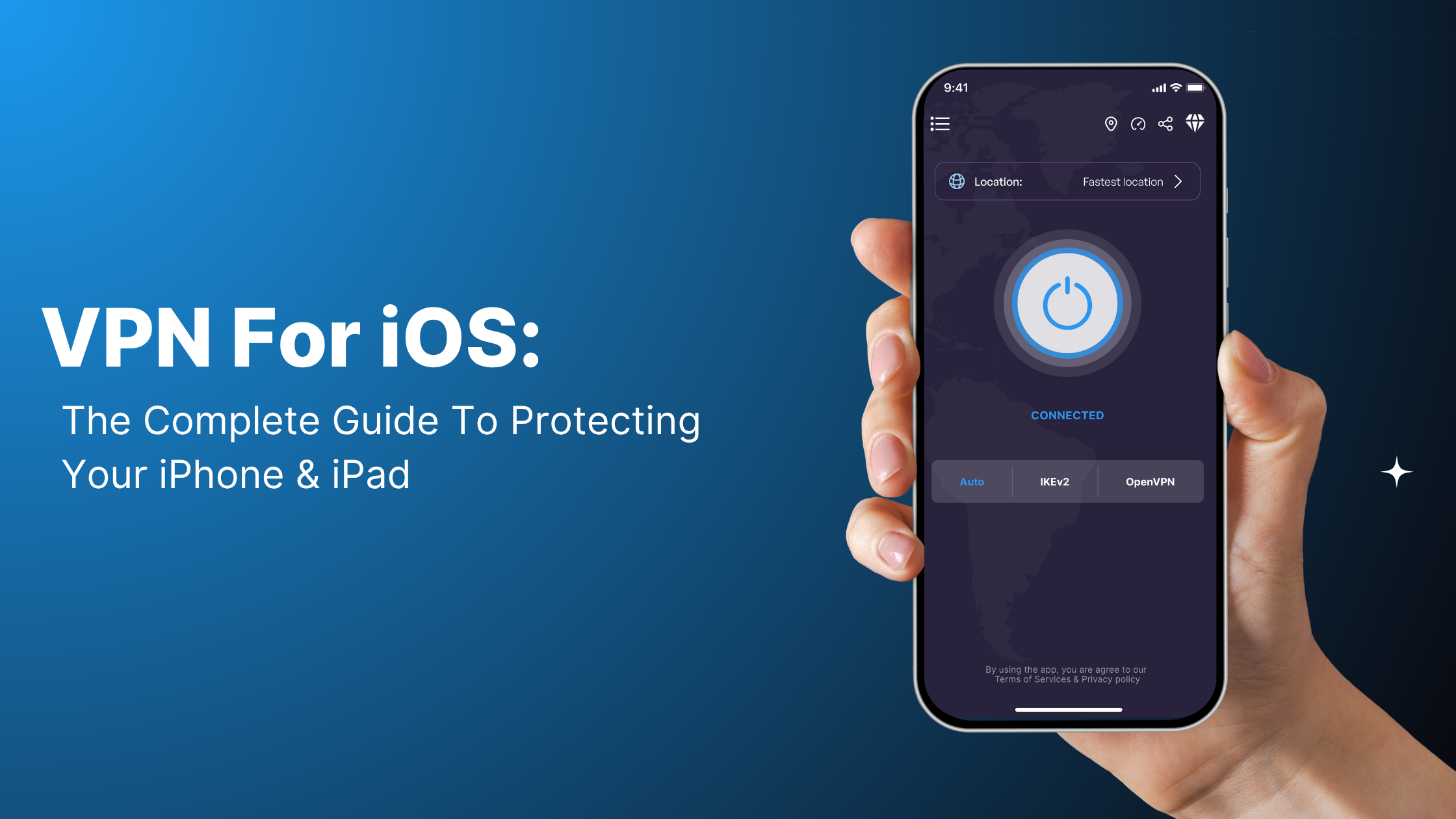
VPN Super's iPhone app picks a protocol for you automatically. It tries Super, IKEv2, OpenVPN, and V2Ray in turn until one connects cleanly, so you don't have to know what any of those mean. A quick starting point:
- Get the app for iPhone from the App Store and connect. No manual setup needed.
- If you want the widest choice of locations, look at Premium servers. VPN Super's free iPhone plan covers 20 countries; Premium unlocks 64.
- For the full feature list, including protocol switching and the in-app IP checker, see VPN Super features.
Do I need a VPN on my iPhone?
Not all the time, no. For ordinary browsing at home on your own Wi-Fi, your iPhone's built-in protections and your home network are already doing most of the work. A VPN earns its place on public or shared networks: the ones you don't control and can't verify. It's also the reason people use a streaming VPN while traveling: not to reach a different country's catalog, but to keep the connection private while streaming the shows and services they already pay for back home.
Here's a quick way to think about it by situation.
| Situation | VPN on iPhone | Why |
|---|---|---|
| Home Wi-Fi you control | Usually off | Your own router isn't the threat model here |
| Public Wi-Fi (café, airport, hotel) | On | Anyone else on that network can potentially see unencrypted traffic |
| Mobile data (4G/5G) | Optional | Cellular traffic is already encrypted between your phone and the tower, but your carrier can still see which sites you visit |
| Traveling, want your usual apps and settings | On | Keeps your connection consistent instead of routing through unfamiliar local networks |
| Banking or payment apps | Optional either way | These already use their own encryption; a VPN adds a layer, but it isn't the thing protecting the transaction |
| AirDrop or connecting to devices on your local network | Off | A VPN routes traffic through a remote server, which can break local device discovery |
A 2023 Forbes Advisor survey found that 40% of travelers had their security compromised while using public Wi-Fi. That's the scenario a VPN is actually built for.
What a VPN doesn't do: stop malware already on your phone, block phishing links, or protect you if you type your password into a fake site. It encrypts your connection and hides your IP address. That's the extent of it, and it's still worth having for the situations above.
Does the iPhone come with a VPN built in?
No, not a full VPN service. iOS has a VPN client (the Settings > VPN screen can hold a connection profile), but Apple doesn't run VPN servers for you to connect to. Apple's own privacy feature, iCloud Private Relay, is a related but different thing. It only covers Safari browsing, it requires a paid iCloud+ subscription, and it doesn't touch other apps.
| Native iOS VPN profile | VPN app (like VPN Super) | iCloud Private Relay | |
|---|---|---|---|
| Needs a server to connect to | Yes, you'd have to supply one | Included | Included (Apple's own network) |
| Covers all apps, not just Safari | Yes, once configured | Yes | No, Safari only |
| Setup | Manual, technical | Open the app and connect | Toggle on in iCloud settings |
| Cost | Depends on the server you're connecting to | Free tier available, Premium for full server list | Requires iCloud+ |
VPN Super doesn't support setting up a manual connection through iOS Settings using account credentials. That path isn't built or supported. Getting connected means opening the app and tapping Connect.
Why does my iPhone say VPN even though I didn't turn one on?
A few causes are worth checking, and one popup you should just ignore.
A work or school device profile is the most common one. If your iPhone is managed by an employer or school, which is common on company phones or education-issued iPads, a mobile device management (MDM) profile can quietly enable a VPN connection you never set up yourself. Check Settings > General > VPN & Device Management. If you see a management profile listed there, that's your answer.
A leftover configuration profile is the second. Installing and then deleting a VPN app doesn't always remove its configuration profile automatically, and the same Settings screen will show it if it's still there.
Screen Time or a parental-controls setup can do it too. Some content-filtering tools route traffic through a local VPN connection to apply restrictions, which shows the VPN icon even though nothing is being sent to an outside server.
Should I leave VPN on or off on my iPhone?
Use the situation table above as your default. On for public Wi-Fi and travel. Optional at home. Off if you're trying to AirDrop something or reach a printer or smart TV on your own network, since a VPN routes your traffic somewhere else first and that can get in the way of finding local devices.
Does a VPN slow down my iPhone?
Some speed reduction is normal with any VPN, because of the encryption and the extra routing step. That's true across the industry, not something specific to VPN Super. VPN Super's automatic protocol selection is built to find a workable connection quickly rather than forcing you through a slow one, and Fastest Location picks the lowest-latency server for you if you'd rather not choose manually.
How do you turn on a VPN on your iPhone?
With VPN Super, it's two steps. Download the app for iPhone from the App Store, then open it and tap Connect. There's no manual server setup involved; the app handles protocol and server selection for you, and you can still pick a specific location from the server list if you want one in particular.
Want the full walkthrough, including how to switch servers, check your connection is actually working, and manage the app from a locked screen? Our complete iPhone and iPad setup guide covers that in more detail.
FAQ
What does VPN mean on my iPhone?
It stands for virtual private network, a system feature that encrypts your traffic and hides your IP address by routing your connection through a VPN server. On iPhone you'll usually spot it as a small VPN label near the clock at the top of the screen whenever a connection is active.
Does the iPhone come with a VPN built in?
No. iOS can hold a VPN connection profile, but Apple doesn't operate a VPN service of its own. iCloud Private Relay is a separate, Safari-only feature that requires iCloud+, and even then it hides your IP from websites, not from Apple itself.
Why does my iPhone say VPN even though I didn't turn one on?
Usually a work or school device management profile, a leftover configuration profile from an app you removed, or a Screen Time content filter. If you're seeing a browser popup demanding "Apple VPN Protection," that's a scam popup and not your iPhone doing anything at all.
Should I leave VPN on or off on my iPhone?
On for public Wi-Fi and travel. Off for AirDrop or anything on your own local network, since a VPN routes your traffic away from that network first.
Do I need a VPN for everyday browsing on my iPhone?
Not usually, if you're on your own home Wi-Fi. It matters more the moment you're on a network you don't control, even briefly, like borrowing a friend's Wi-Fi password.
Why won't the VPN turn off on my iPhone?
Check Settings > General > VPN & Device Management first. A management profile or a leftover configuration can keep a connection active even after you've closed the app it came from. Removing the profile, or the app if it's still installed, usually clears it.
Does a VPN slow down my iPhone?
Some speed reduction is normal with any VPN, due to encryption and the extra routing step. Automatic protocol selection helps keep that to a minimum, and Fastest Location is built to point you at the lowest-latency server when you'd rather not pick one yourself.


 VPN for Windows
 VPN for Android
 VPN for iOS
 VPN for MacOS
 Apple TV
 Android TV