Watch Zee5 privately with VPN Super

Stream Zee5 privately with VPN Super. Encrypt your connection on public Wi-Fi, ease ISP throttling, and stay covered across all 6 device types.

Get VPN Super
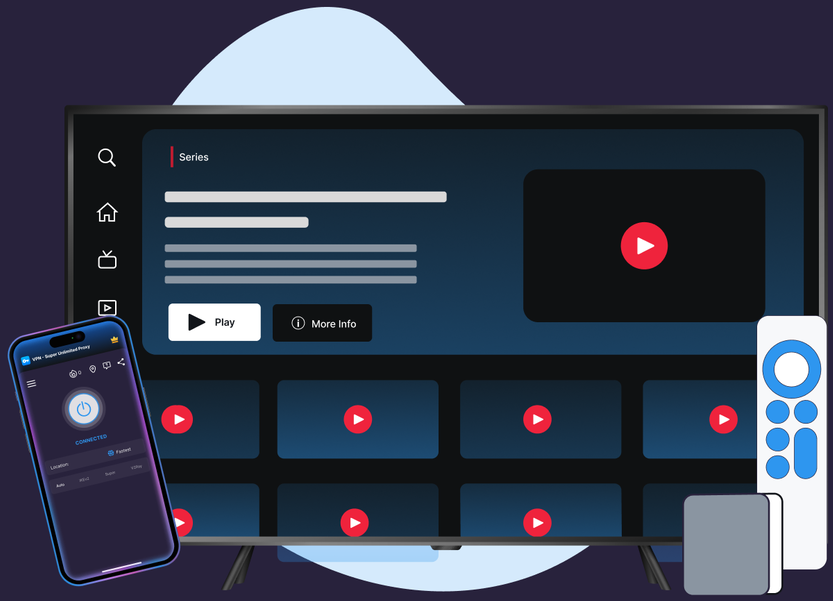
Watch Zee5 with VPN Super

Protocols, leak protection, and platform coverage chosen for streaming reliability and privacy.

Servers picked for speed

VPN Super's Fastest Location auto-picks the lowest-latency server for you, so you're not guessing which one to choose.
10Gbps network

10Gbps servers are available in many locations, built to keep up with high-bitrate streaming.
Unlimited bandwidth

No data caps. Stream as much as you want, for as long as you want.
Up to 10 devices

Cover your phone, laptop, and TV on one subscription, up to 10 devices at once.
60+ countries, 100+ locations

Premium unlocks 60+ countries and 100+ server locations. Free tier on iOS and Android includes a solid starter list to try first.
Encrypted, end to end

VPN Super encrypts your connection end to end, so your session stays private on public Wi-Fi, hotel networks, and anywhere else you connect.
Get VPN Super

Set up VPN Super for Zee5 in 3 steps

Get connected in a couple of minutes, then open Zee5 and stream the way you always do.

1
Download VPN Super
Download VPN Super for your phone, laptop, tablet, or streaming device, then create your account.
Person standing beside phone with cloud download icon and installing progress bar on screen.
2
Connect to a fast server
Open the app and connect to a server. Fastest Location picks one for you automatically.
Person leaning on stacked servers with cloud sync icon above, checking phone.
3
Open Zee5 and start streaming
Once the app shows Connected, open Zee5 and start streaming the way you normally would.
Man taking selfie with thumbs up and woman texting, with social media heart and chat icons around them.
blue light-bulb icon
Pro tip:

Pro tip: on a slow hotel or airport network, connect to a different server if a stream is slow to start.

Get VPN Super

Why Zee5's catalog isn't the same everywhere

Zee5 is an Indian streaming service, and its own catalog history explains what changes from country to country. Here's the honest picture, and how VPN Super fits inside it.

No items found.
Get VPN Super

A global network, built for privacy and speed

A sample of VPN Super's server locations—chosen for coverage and low latency, not for content access.

United States

United Kingdom

Canada

Germany

France

Japan

Australia

Netherlands

Zee5's server-side eligibility rules govern catalog access; VPN Super's server network is built for connection speed and privacy, not for changing which Zee5 catalog loads.

Get VPN Super

Direct connection vs.

VPN Super

What changes when you turn VPN Super on.

Features
Without a VPN
VPN Super
Your IP address
Visible to your network and ISP
Replaced with a VPN Super IP address
Public Wi-Fi traffic
Exposed to others on the same network
Encrypted before it leaves your device
ISP visibility into your streaming
Can see and potentially throttle it
Harder to single out for throttling
Your connection
Unencrypted
Protected with military-level encryption
Account sign-in on open networks
Credentials sent over the open network
Protected inside the encrypted tunnel

Available on every major device

VPN Super covers the devices you actually stream Zee5 on.

Apple logo above lowercase text iOS on a white rounded square background.Green Android robot head icon above the word Android in black text.Card showing green Android TV logo with bold text Android TV below it on white background.Apple TV logo showing the Apple icon followed by the letters TV and text Apple TV below.Blue Windows logo with four squares and the text Windows below it on white background.Beta label above the Mac Finder app icon with a blue and white smiling face.
See All Devices

Why people love streaming with VPN Super

★★★★★
"Fast, reliable, and works where others don't. Works across Asia, even China. Great for public Wi-Fi."
Cer Veza
January 2026
★★★★★
"A lifesaver abroad! Fast, reliable, and secure. Access all your apps anywhere."
Acid_Cowboy
October 2025
★★★★★
"Amazing protection for a VPN. Switch servers worldwide, no ads, and a simple interface, high quality and easy to use."
Rob-Roy MacNaughton
December 2025

Frequently asked questions

No items found.

Set up VPN Super once, then stream with your connection protected every time.
Get VPN Super
Blue money-back guarantee seal with three stars and a ribbon banner