
Stream Prime Video privately with VPN Super
Encrypted streaming on public Wi-Fi. Throttle-resistant on slow ISPs. Your home Prime Video library, wherever you're connecting from.
Get VPN Super
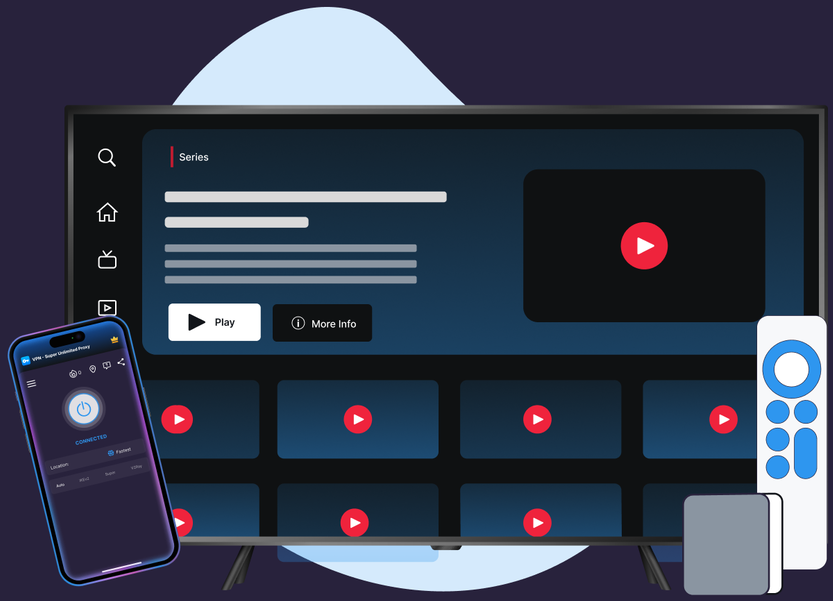
Encrypted streaming on public Wi-Fi. Throttle-resistant on slow ISPs. Your home Prime Video library, wherever you're connecting from.
Protocols, leak protection, and platform coverage chosen for streaming reliability and privacy.
VPN Super's Fastest Location auto-picks the lowest-latency server for you, so you're not guessing which one to choose.
10Gbps servers are available in many locations, built to keep up with high-bitrate streaming.
No data caps. Stream as much as you want, for as long as you want.
Cover your phone, laptop, and TV on one subscription, up to 10 devices at once.
Premium unlocks 60+ countries and 100+ server locations. Free tier on iOS and Android includes a solid starter list to try first.
VPN Super encrypts your connection end to end, so your session stays private on public Wi-Fi, hotel networks, and anywhere else you connect.
No extra setup, no changing what's in your library. Just connect and watch.

.png)
.png)

If you see a VPN or proxy detection message, try switching protocols (Auto → IKEv2 → OpenVPN on mobile; WireGuard or OpenVPN on Windows) and reconnecting. Your Prime Video library stays the same either way—it's tied to your Amazon account's billing address, not your connection.
Prime Video ties your available catalog to your Amazon account's billing address—not your physical location or your VPN server. Here's what that means, and what VPN Super can actually help with.

Prime Video's library is tied to your Amazon account's billing address—not where you happen to be connecting from. Traveling or connecting from elsewhere doesn't change that, with or without a VPN.

VPN users commonly report an in-app message about a VPN or proxy connection when streaming certain titles. Amazon hasn't published an official help-center article describing this behavior, so treat the exact wording and triggers as unconfirmed—the detection itself is well documented across user reports, though.

Privacy on public Wi-Fi, throttle-resistance on slow ISPs, and a stable connection to your home Prime Video account while traveling—the parts of streaming a VPN can actually improve.

"With a VPN, you may only be shown TV shows and movies Netflix has worldwide licensing for."
Download VPN Super on the platforms you actually use to stream Prime Video at home and on the go.

.webp)

.png)
Three reasons that don't depend on changing what's in your Prime Video library. Privacy on public Wi-Fi—café, airport, and hotel networks leak traffic by default. Throttle-resistance—some ISPs slow streaming at peak hours, and an encrypted tunnel hides the traffic shape. Travel—keep your home Prime Video subscription reachable when you're on a different ISP abroad.
Users commonly report an in-app message about a VPN or proxy connection when streaming through certain servers. Amazon hasn't published an official help-center article describing this behavior, so treat the exact wording and triggers as unconfirmed—the detection itself is well documented across user reports and forums.
Prime Video ties your available catalog to your Amazon account's billing address, not your physical location or your VPN server. That's true with or without a VPN—NordVPN's own support documentation confirms the library is tied to billing address and isn't something a VPN connection changes. VPN Super doesn't promise otherwise.
Amazon hasn't published official guidance confirming or denying this, and there's no independently verified policy stating VPN use leads to a ban. Most reports describe a detection message or a temporarily limited experience, not account suspension. VPN Super's core use case here—privacy and a stable connection to your own account—doesn't require doing anything Amazon's terms would flag.
Using a VPN is legal in most countries (rules vary—check yours). Amazon's own Terms of Use govern what you can do with your account and the Prime Video service, so it's worth reviewing those alongside your local laws.
Some speed reduction is normal with any VPN, from encryption and routing. VPN Super's servers are sized for streaming, and the app picks the server with the lowest current latency for you. A weak underlying Wi-Fi or mobile signal can still cause buffering.
Yes. VPN Super's free VPN on iOS gives 20 countries and 42 locations; Android's free VPN gives 15 countries and 26 locations. The encrypted tunnel is the same as Premium—useful for public Wi-Fi privacy and throttle-resistance without paying.
Try switching protocols (Auto → IKEv2 → OpenVPN on mobile; WireGuard or OpenVPN on Windows) and reconnecting—flagged IP ranges rotate over time. Your Prime Video library itself won't change either way, since it's tied to your Amazon account's billing address rather than your connection.
Common causes—your ISP routes traffic through a regional gateway that's been flagged, you're on a corporate or campus network, or a system-level VPN or proxy is running that you forgot about. Open the app menu (☰) and contact Support if it persists.
Up to 10 devices at the same time. Enough for a personal phone, a laptop, a tablet, an Apple TV or Android TV, and a few more besides.
Free on mobile, Premium for desktop and TV. One VPN Super subscription protects up to 10 devices.








 VPN for Windows
 VPN for Android
 VPN for iOS
 VPN for MacOS
 Apple TV
 Android TV