
Watch Peacock privately with VPN Super
Encrypt your connection while you stream Peacock at home, in a hotel, or on public Wi-Fi. No new apps to learn.
Get VPN Super
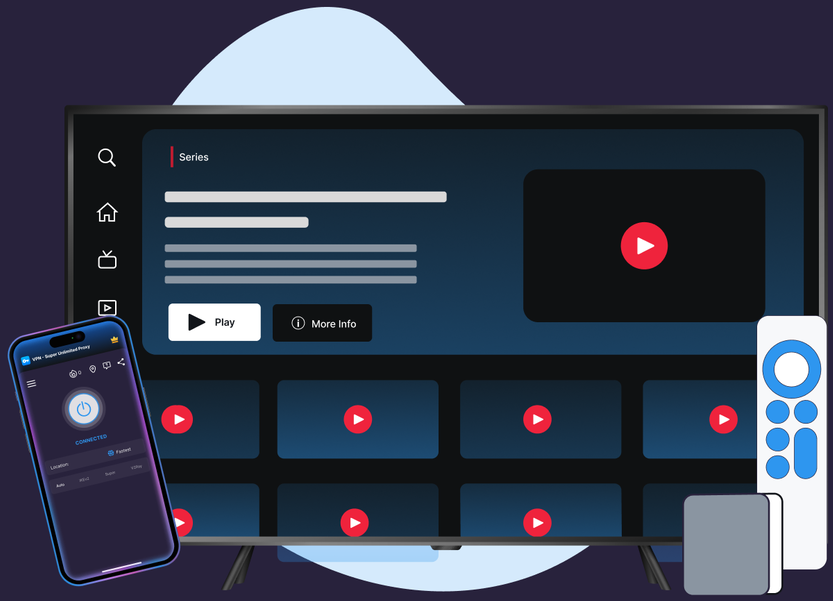
Encrypt your connection while you stream Peacock at home, in a hotel, or on public Wi-Fi. No new apps to learn.
Protocols, leak protection, and platform coverage chosen for streaming reliability and privacy.
VPN Super's Fastest Location auto-picks the lowest-latency server for you, so you're not guessing which one to choose.
10Gbps servers are available in many locations, built to keep up with high-bitrate streaming.
No data caps. Stream as much as you want, for as long as you want.
Cover your phone, laptop, and TV on one subscription, up to 10 devices at once.
Premium unlocks 60+ countries and 100+ server locations. Free tier on iOS and Android includes a solid starter list to try first.
VPN Super encrypts your connection end to end, so your session stays private on public Wi-Fi, hotel networks, and anywhere else you connect.
Get connected in a couple of minutes, then open Peacock and stream the way you always do.

.png)
.png)

Pro tip: on a slow hotel or airport network, connect to a different US server if a stream is slow to start.
Peacock is a US-based service, and its own Terms of Use are direct about what that means. Here's what they say, and how VPN Super fits inside those terms.

VPN Super doesn't change that eligibility. This page protects the connection you already have, not where Peacock works.
"You may not access or use the Peacock Service if you are outside of the United States (including its territories and possessions)." — Peacock Terms of Use, §1.1 (Eligibility)

VPN Super is built to protect your connection, not to help you circumvent that rule.
"You may not provide fictitious information or conceal your identity or location, including in an attempt to circumvent limits associated with Promotions or geographic Content restrictions." — Peacock Terms of Use, §5.1 (Prohibited Actions)

Peacock, like most streaming services, can detect some VPN addresses. That's the system working as intended, not a VPN fault.

"With a VPN, you may only be shown TV shows and movies Netflix has worldwide licensing for."
A sample of VPN Super's server locations—chosen for coverage and low latency, not for content access.
VPN Super runs multiple server clusters across major US cities, so there's usually a nearby location with room to spare during peak streaming hours.
VPN Super covers the devices you actually stream Peacock on.

.webp)

.png)
Sometimes. Like most streaming services, Peacock can detect and block some VPN or proxy addresses. VPN Super's job is to keep your existing connection private and stable, not to change what Peacock shows you.
Peacock runs its own detection systems to flag IP addresses associated with VPNs or proxies. If you see this message, try disconnecting and reconnecting VPN Super, then switching to a different US server before reopening Peacock.
Using a VPN is broadly legal, but Peacock's own Terms of Use prohibit concealing your identity or location to circumvent geographic content restrictions. Always check Peacock's terms and your local laws. This isn't legal advice.
Yes. This is exactly what VPN Super is built for: encrypting your connection at a cafe, airport, or hotel so your traffic isn't exposed to others on the same network.
Encryption adds a small amount of overhead, but VPN Super runs server clusters across dozens of US cities to keep capacity available during busy hours. If a stream is slow to start, try a different US server first.
Premium. Windows, Mac, Apple TV, and Android TV are Premium-only; the Free plan is available on iOS and Android.
Yes. VPN Super is available on Apple TV and Android TV with a Premium subscription, using protocols built for those platforms.
Try a US server closer to your physical location, switch from cellular to Wi-Fi, and confirm your underlying internet speed meets Peacock's minimum (about 3Mbps). The same fix pattern works for Telemundo, Peacock's sister NBCUniversal service.
Yes. Telemundo is Peacock's sister NBCUniversal service and runs into the same VPN-detection and buffering issues. See the Telemundo not working with a VPN troubleshooting guide for the same fix pattern.
iOS and Android support the full lineup: Auto, Super, IKEv2, OpenVPN, and V2Ray. Windows offers Auto, WireGuard, and OpenVPN. Mac uses WireGuard, Apple TV uses IKEv2, and Android TV uses OpenVPN or IKEv2.
Set up VPN Super once, then stream with your connection protected every time.









 VPN for Windows
 VPN for Android
 VPN for iOS
 VPN for MacOS
 Apple TV
 Android TV