
Stream ITVX privately with VPN Super
Watch ITVX over an encrypted connection that keeps your streaming private on public Wi-Fi and helps you resist ISP throttling.
Get VPN Super
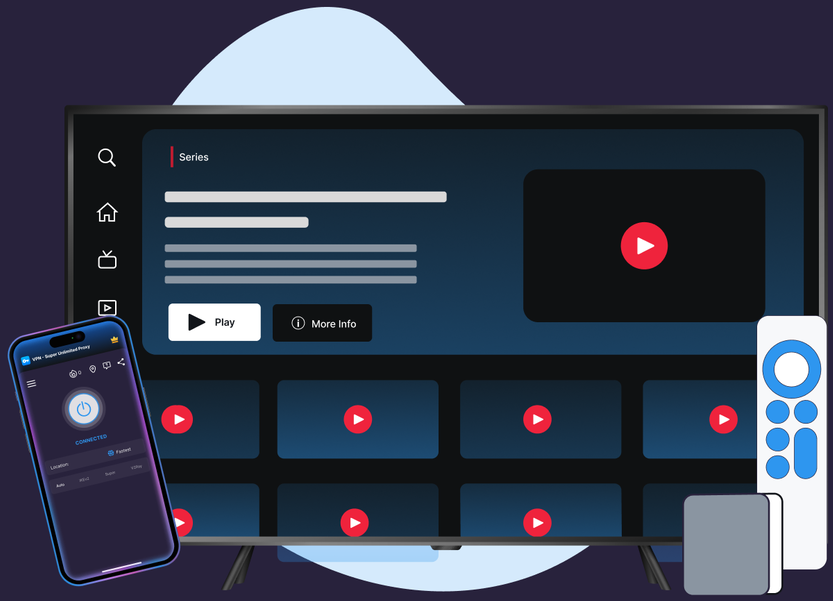
Watch ITVX over an encrypted connection that keeps your streaming private on public Wi-Fi and helps you resist ISP throttling.
Protocols, leak protection, and platform coverage chosen for streaming reliability and privacy.
VPN Super's Fastest Location auto-picks the lowest-latency server for you, so you're not guessing which one to choose.
10Gbps servers are available in many locations, built to keep up with high-bitrate streaming.
No data caps. Stream as much as you want, for as long as you want.
Cover your phone, laptop, and TV on one subscription, up to 10 devices at once.
Premium unlocks 60+ countries and 100+ server locations. Free tier on iOS and Android includes a solid starter list to try first.
VPN Super encrypts your connection end to end, so your session stays private on public Wi-Fi, hotel networks, and anywhere else you connect.
A private, encrypted connection takes less than a minute to set up.

.png)
.png)

Pro tip: if ITVX ever shows a message saying it can't verify your location, switch to a different UK server from the Location menu—see the troubleshooting steps below.
ITVX licenses its shows for the UK only, and actively checks for VPN use.
"Due to our broadcast and content licences, ITVX and ITVX Premium can only be used in the UK." — ITVX Help Centre

ITVX's help centre states it plainly: "You're using a VPN (Virtual Private Network), proxy, or similar service…it may be masking your location. You won't be able to play shows if ITVX detects that you might be using a VPN."

VPN Super doesn't change your location or your ITVX library—it encrypts your connection so your ISP, network admin, or anyone on public Wi-Fi can't see what you're streaming, and it helps resist ISP throttling that can slow ITVX down.

Your ITVX access stays exactly what it is when you're connected in the UK. VPN Super adds a private, encrypted layer on top of it.

"With a VPN, you may only be shown TV shows and movies Netflix has worldwide licensing for."
VPN Super runs on iPhone, Android, Windows, Mac, Apple TV, Android TV, and Google Chrome, keeping every screen private.

.webp)

.png)
A VPN encrypts your connection, which keeps your streaming private on public Wi-Fi and can help resist ISP throttling that slows down video.
ITVX actively checks for VPN and proxy use. In ITV's own words: "You won't be able to play shows if ITVX detects that you might be using a VPN."
ITVX will block playback and show a message asking you to confirm you're in the UK. Switching to a different UK server in VPN Super and reloading ITVX usually resolves it.
Yes, using a VPN is legal in the UK. ITVX's own terms restrict streaming to UK-based access under its content licences, so always follow ITVX's terms of service.
ITVX requires a UK connection, so it isn't available abroad, even with a VPN. If you're an ITVX Premium subscriber, ITV's own offline download feature lets you download shows before you travel and watch them for up to 7 days—VPN Super keeps that download private on any Wi-Fi you use along the way.
VPN Super is built to keep current latency low, so most people notice little to no difference when streaming ITVX.
Kill Switch is available on iOS and Android only. If your connection drops, it pauses your internet access automatically so nothing leaks while you reconnect.
VPN Super runs on iPhone, Android, Windows, Mac, Apple TV, and Android TV, so you can watch ITVX privately on whichever device you use in the UK.
Yes—VPN Super offers a free plan on iPhone and Android with a smaller selection of UK servers. Windows, Mac, and TV apps are Premium only.
ITVX licenses its shows for the UK only. In ITV's own words: "Due to our broadcast and content licences, ITVX and ITVX Premium can only be used in the UK." VPN Super doesn't change that. It adds a private, encrypted layer on top of your UK connection, with UK servers built for everyday privacy and speed on public Wi-Fi and slow connections.
If ITVX shows a message saying it can't verify your location, try these steps:
Download VPN Super and add a private, encrypted layer to every ITVX session, on any device you use in the UK.









 VPN for Windows
 VPN for Android
 VPN for iOS
 VPN for MacOS
 Apple TV
 Android TV