
Stream Hotstar privately with VPN Super
Encrypted streaming on public Wi-Fi. Throttle-resistant on slow ISPs. Your home Hotstar subscription, wherever you're connecting from.
Get VPN Super
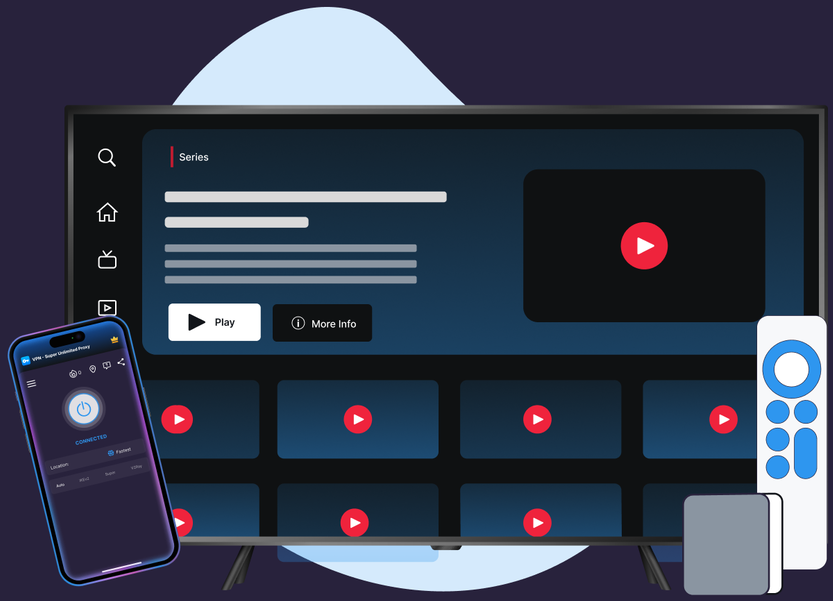
Encrypted streaming on public Wi-Fi. Throttle-resistant on slow ISPs. Your home Hotstar subscription, wherever you're connecting from.
Protocols, leak protection, and platform coverage chosen for streaming reliability and privacy.
VPN Super's Fastest Location auto-picks the lowest-latency server for you, so you're not guessing which one to choose.
10Gbps servers are available in many locations, built to keep up with high-bitrate streaming.
No data caps. Stream as much as you want, for as long as you want.
Cover your phone, laptop, and TV on one subscription, up to 10 devices at once.
Premium unlocks 60+ countries and 100+ server locations. Free tier on iOS and Android includes a solid starter list to try first.
VPN Super encrypts your connection end to end, so your session stays private on public Wi-Fi, hotel networks, and anywhere else you connect.
No country-switching, no changing what's in your library. Just connect and watch.

.png)
.png)

If you see Hotstar's VPN or proxy message, switch protocols on the home screen (try Auto first) and reconnect. A quick app restart clears most detection hiccups.
Honest answer, including Hotstar's own in-app message about what to expect when you stream with a VPN.

Hotstar checks for VPN and proxy traffic on its own connection—that's true with or without VPN Super. VPN Super doesn't promise to change what your account can access.

Hotstar's in-app message, as last captured for this page:
"Looks like you are connecting through a VPN, proxy or 'unblocker' service. Please turn off any of these services and try again."
Exact wording can change over time—if you see something slightly different, it's the same detection at work.

Privacy on public Wi-Fi, resistance to ISP throttling during a live match, and a stable connection to your home Hotstar subscription when you're traveling—the parts of streaming a VPN can genuinely improve.

"With a VPN, you may only be shown TV shows and movies Netflix has worldwide licensing for."
Download VPN Super on the platforms you actually use to stream Hotstar at home and on the go.

.webp)

.png)
Three reasons that don't depend on changing what's in your Hotstar library: privacy on public Wi-Fi, resistance to ISP throttling during a live cricket match or a big premiere, and staying connected to your home Hotstar subscription while you're traveling on a different network.
Yes—Hotstar shows an in-app message when it detects a VPN or proxy connection. As last captured, it reads: "Looks like you are connecting through a VPN, proxy or 'unblocker' service. Please turn off any of these services and try again." The exact wording can change over time.
JioHotstar is the India-market service, renamed in 2025 after Reliance Jio and Disney's local streaming businesses merged. The international Hotstar app—available in the US, UK, Canada, and other markets—is a separate product built for viewers outside India, and it's what this page is about.
Yes, using a VPN is legal in the US. Hotstar's own Terms of Service govern how its service may be accessed, so always follow Hotstar's terms alongside your local laws.
VPN Super's Auto protocol picker is built to keep latency low, so most people notice little to no difference streaming Hotstar, including live sport.
iOS ships a basic Kill Switch today (VPN on-demand), which helps prevent your traffic from leaking if your connection drops. Android and Windows Kill Switch are rolling out—check the app for current availability on your device.
iPhone, Android, Windows, Mac, Apple TV, and Android TV—so you can stream Hotstar privately on whichever device you use, including the living-room TV for live cricket.
Yes—VPN Super's free VPN on iOS covers 20 countries and 42 locations; Android's free VPN covers 15 countries and 26 locations. Windows, Mac, and the TV apps are Premium only.
If you're already a Hotstar subscriber in the US, no—your subscription works over your regular connection. A VPN doesn't change what's in your library. What it adds is privacy on shared networks, resistance to ISP throttling, and a stable connection to your account while you're traveling.
One VPN Super subscription covers up to 10 devices, so a phone, a couple of laptops, and the TV can all stay protected at once—useful when Hotstar is a whole household's app, not just yours.
Free VPN on mobile, Premium for desktop and TV. One VPN Super subscription protects up to 10 devices.









 VPN for Windows
 VPN for Android
 VPN for iOS
 VPN for MacOS
 Apple TV
 Android TV