
 2M+ Ratings
 2M+ Reviews
Experience true internet freedom. Stream without buffering, access your favorite content, and keep your browsing private on any network.

Use your valid university or college email address to verify your student status.
Your 50% off code applies automatically at checkout, no extra clicks needed.
Download the app and connect in seconds. No document scans required.
Connect to Discord, Steam, TikTok, Instagram, and gaming sites privately from the library or dorms.
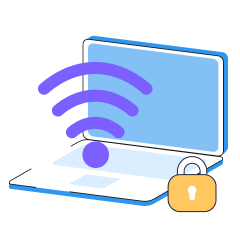
Supports protocols designed to get through restrictive networks, including OpenVPN, WireGuard, and Super protocol.

Stream and game at full speed, even during peak hours.

Watch Netflix libraries from any region, unblock BBC iPlayer, or catch blacked-out sports from your college town.
Pick servers optimized for speed with visible latency info on iOS and Android
Stream in 4K, download files, and game without limits on your Premium Subscription

Auto-connect to the fastest available server from your home screen
One account, all your devices. VPN - Super Unlimited Proxy protects your phone, tablet, and laptop.
I highly recommend this if you want to doom scroll or use any other apps that you can't use on school Wi-Fi
Worth it! No issues, no lag, good for gaming
Excellent! I feel safe using it, and it effectively hides my IP address. The speed is good for regular browsing and streaming
50% off all subscription tiers, including monthly, six-month and 12-month plans.
Seconds with a valid .edu email. Third-party verification typically completes in under 5 minutes.
No. VPN Super maintains a no activity logs policy.
Protocols include WireGuard, OpenVPN, IKEv2, and the proprietary Super protocol, all with strong encryption standards.
You can connect up to 10 devices with one account. Check current limits in your account settings.
The app is available for Windows, iOS, and Android. Browser extensions are not currently offered.
Yes. The VPN supports protocols designed to work on restrictive academic networks.
They can see encrypted VPN traffic but cannot see what sites you visit or what you download.
Most universities allow VPN use. Check your institution's acceptable use policy if unsure.
Connect to VPN Super, pick a server location, and launch Steam. The firewall sees VPN traffic, not gaming traffic.
Choose servers with the lowest ping (visible on iOS and Android), and use protocols optimized for speed like WireGuard on Windows. Most students see no performance drop, many see improvements due to reduced ISP throttling.
Yes. VPN Super works with Zoom, Microsoft Teams, Blackboard, Canvas, and other academic platforms. Use Split Tunneling on Android to route only specific apps through the VPN if needed.
Connect to servers in different regions to see localized pricing on travel sites and online stores.
The Support team is available through the in-app contact form on all platforms. iOS and Android also have a built-in FAQ for quick troubleshooting.
Yes. VPN Super has a free, ad-supported version for iPhone, iPad, and Android with a smaller list of server countries. The 50% student discount applies to Premium, which removes ads, unlocks the full server list, and adds Split Tunneling on Android.
No. Using a VPN is legal in the United States, and most universities allow it. Some schools restrict VPN use as a matter of local network policy rather than law, so check your institution's acceptable use policy if you're unsure.

Your school shouldn't decide what you can access online. VPN Super gives you back control, keeps your activity private, and works across all your devices.
