

✈️ The quick version
- Netflix officially supports traveling. You can stream abroad on your phone, laptop, or hotel TV. But the content library changes to match whatever country you're in — and your watchlist, downloads, and recommendations all shift with it.
- The gap: Netflix doesn't let you keep your home country's full library while abroad. Shows vanish, your "Continue Watching" row breaks, and you're stuck with whatever's licensed locally.
- What a VPN does: It routes your connection through a server in your home country, so Netflix sees you as being there. Your library, watchlist, and recommendations stay intact.
- We tested it: VPN Super connected to Netflix via iOS in 6 countries (US, UK, Japan, India, Spain, Hong Kong) in March 2026. Full access to each country's specific library. No error messages. No restrictions. No worldwide-only fallback.
Most guides about watching Netflix abroad skip the part where Netflix already has a travel policy. It's right there on their help page. You can use your account on the go, sign into hotel TVs, stream on your phone — all officially supported by Netflix.
The catch is what changes when you cross a border. Netflix swaps your library, adjusts maturity ratings, and may disable your downloads. You're paying for the same account, but half your watchlist has vanished and the show you were three episodes into is suddenly unavailable.
A VPN fills that specific gap. It lets your connection appear to come from your home country, so Netflix shows you the library you're used to. Not some abstract "unblocking" concept — just getting back the content that disappeared when you landed.
This guide covers what Netflix officially gives you as a traveler, where those defaults fall short, and how a VPN bridges the difference. We also tested VPN Super against Netflix in six countries to document what actually happens — no cherry-picked screenshots, just the results.
What does Netflix officially offer travelers?
Netflix is available in over 190 countries. The only places where it doesn't work at all are China, Crimea, North Korea, Russia, and Syria. Everywhere else, your account works. But the experience changes.
Here's what Netflix's own help page says happens when you watch outside your home country:
- Your content library changes. The selection of shows and movies — including available audio and subtitle options — varies by country. Titles on your "My List" and "Continue Watching" rows may not appear.
- Maturity ratings shift. If you've set parental controls based on your home country's rating system, titles may become available (or disappear) due to differences in local classifications.
- Downloads may stop working. Titles you downloaded before your trip might not play in a different country.
- Payment methods differ. Gift cards and cash payment options vary by country and may not be accepted where you're traveling. Netflix recommends topping up your account or adding a backup payment method before you leave.
These aren't bugs. Netflix is telling you upfront: your experience abroad will be different from what you're used to at home.
Where does Netflix's travel policy fall short?
The official support handles the basics. You can log in, you can stream, you won't get locked out. But it doesn't solve the problem most travelers actually care about: the content is different, and you can't do anything about it within Netflix's own settings.
What geo-blocking actually means for your trip
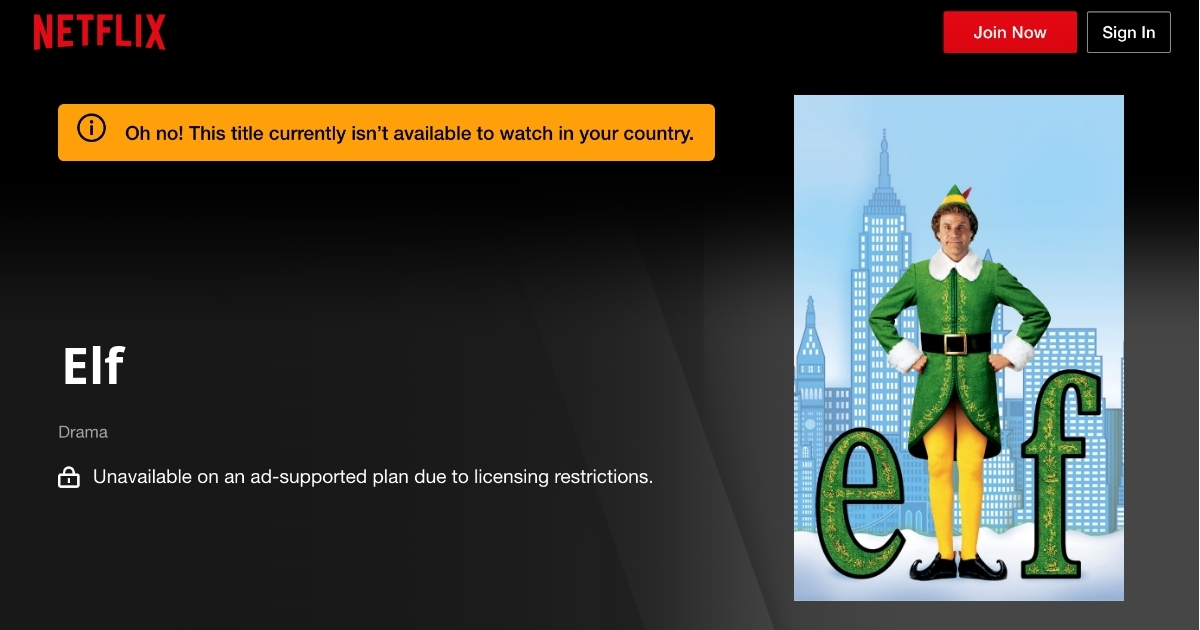
Netflix licenses shows and movies on a country-by-country basis. Studios and distributors sell streaming rights per region, and Netflix is required to respect those agreements. When you connect from a new location, Netflix reads your IP address and serves you the library for that country. A show available in the US might not be licensed in Spain. A BBC series streaming in the UK might be missing from the Japanese catalog. Your account stays the same. The content doesn't.
The friction points are specific and predictable:
- Your watchlist breaks mid-series. You're four episodes into something at home, you fly to another country, and the show is gone. Netflix doesn't warn you before you travel.
- Recommendations reset. Netflix's algorithm adjusts to the local library, so your homepage looks like someone else's account.
- Regional exclusives vanish. Content licensed only for your home country won't follow you abroad — that includes some of the most popular titles on the platform.
Netflix's travel policy boils down to: "Yes, use your account anywhere — but you'll get whatever we're licensed to show in that country." For a weekend trip, that's manageable. For a longer stay, or a work trip where you just want to decompress with your own shows at the end of the day, it gets old fast.
We tested VPN Super on Netflix in 6 countries
Rather than explaining how this works in theory, we connected VPN Super to Netflix and documented what actually happened. Every VPN company claims to work with Netflix. Most of them show you a single screenshot from one server on one day. Here's what a proper test looks like.
🔍 How we tested
- Device: iPhone (iOS app)
- VPN: VPN Super (Premium Subscription)
- Streaming app: Netflix iOS app
- Countries tested: United States, United Kingdom, Japan, India, Spain, Hong Kong
- What we checked: Whether Netflix loaded, whether the library matched the connected country, and whether any error messages or content restrictions appeared
- Date: March 2026
We tested across six of VPN Super's 100+ server locations. The full server list includes countries across Europe, Asia-Pacific, the Americas, and the Middle East — useful if you want to browse libraries beyond the six we tested here.
All six countries connected without issues. Netflix loaded normally every time, and the content library matched the country we connected to — not some restricted worldwide-only fallback.
A few things we noticed along the way:
- United States: Full US library loaded, including titles not available in other regions.
- United Kingdom: Full UK library, including BBC-licensed content that doesn't appear in US or Asian catalogs.
- Japan: Noticeably larger anime selection compared to other regions. Japanese dramas and region-exclusive anime appeared that weren't available in the US library.
- India: Full Indian library with Bollywood titles and Indian originals prominently featured.
- Spain: Spanish-language originals and European-licensed content loaded correctly.
- Hong Kong: Asian content selection similar to but distinct from Japan, with some Cantonese-language titles.
No error messages. No "you seem to be using a VPN" warnings. No worldwide-only content restriction. Full access to each country's specific library, every time.
Important context on Netflix's VPN policy: Netflix states that if a VPN is detected, they'll show only content with worldwide rights (titles like Squid Game or Stranger Things). They also note that VPN use isn't allowed on ad-supported plans, and live events can't be watched through a VPN. In our testing with VPN Super on a standard Netflix account, none of these restrictions triggered. Your experience may vary depending on your VPN provider, server, device, and Netflix plan.
How to watch US Netflix abroad
The US library contains roughly 6,389 titles — approximately 3,951 movies and 2,438 TV shows. It's no longer the largest Netflix library globally (several European countries now have more total titles), but it remains one of the most sought-after for its selection of US-licensed content and early access to certain Netflix Originals.
To access it from outside the US:
- Open VPN Super and connect to a US server.
- Open the Netflix app or website.
- Your library should now reflect US content.
If you're a US subscriber traveling abroad, this gets you back to the exact catalog you've been paying for.
How to watch UK Netflix abroad
The UK library features a strong selection of British programming, including titles licensed from the BBC, ITV, and Channel 4 that don't appear in other regions. UK Netflix also picks up certain international films and European content earlier than the US catalog does.
To access it: connect to a UK server through VPN Super before opening Netflix.
How to watch Japanese Netflix abroad
Netflix Japan is worth a look even if it's not your home country. With roughly 6,478 total titles, it has one of the strongest anime libraries of any region. Japanese dramas, anime exclusives, and Asian co-productions are significantly more available here than in Western markets. In our testing, the difference in anime selection between the US and Japanese libraries was immediately obvious.
To access it: connect to a Japan server through VPN Super.
Does Netflix work in Europe?
Yes, across every European country. But each country has its own library. Netflix in Germany shows different content than Netflix in France, Italy, or Spain.
If you're a US or UK subscriber traveling within Europe, you'll automatically get switched to the local library of whichever country you're in. A VPN lets you connect back to your home country's server to restore your usual catalog.
Worth noting: European Netflix libraries tend to be some of the largest in the world. Countries like Ireland, Poland, and the Czech Republic consistently rank near the top for total available titles — so if you're browsing without a VPN, the European libraries aren't a downgrade in size. The issue is content overlap. Your specific shows may still be missing even if the total title count is higher.
Can you use Netflix at a vacation home?
This is a different issue from traveling, and it trips people up more than you'd expect.
Netflix defines a "household" as the collection of devices connected to the internet at the main place where you watch. If you try to use Netflix on a TV at a vacation home, rental property, or any location that isn't your primary household, you may see a prompt asking you to verify.
📋 Netflix household rules for vacation homes
- Unrecognized devices get flagged. If a device isn't part of your household, Netflix will ask you to verify before you can watch.
- "I'm traveling" gives you 30 days. When prompted, you can click "I'm traveling" to get temporary access without changing your household settings.
- Updating your household is permanent (sort of). If you want to add a vacation home as your primary location, you'll need to update your household settings — which reassigns your primary household to the new location.
- Extra members cost extra. Adding people outside your household requires paying for an additional member slot on your Netflix plan.
- Verification has a time limit. When Netflix sends a verification prompt, you need to confirm within 15 minutes via email or text.
A VPN can help here too. If you connect to a server near your primary household location before opening Netflix, the platform sees your connection as coming from that area, which can avoid the verification prompt entirely. This is useful for people who split time between two places and don't want to keep toggling their household settings back and forth.
What Netflix shows are available worldwide?
When Netflix detects a VPN it can't reliably locate, it falls back to showing only titles with global licensing rights. These are shows and movies Netflix can stream in every country simultaneously. The selection is more limited than any country-specific library, but it's not empty.
Worldwide titles typically include:
- Most Netflix Originals — Squid Game, Stranger Things, Wednesday, The Witcher, Bridgerton, and similar flagship series
- Netflix-produced films and documentaries
- Stand-up comedy specials produced by Netflix
- Some older licensed content with broad international agreements
This is the fallback — what you'd see if your VPN gets detected but not blocked outright. Think of it as Netflix's "we know you're using a VPN, so here's the safe catalog" response. In our testing with VPN Super, we didn't encounter this fallback at all. But it's worth knowing it exists as a worst-case scenario rather than a total lockout.
Step-by-step: how to watch Netflix abroad with a VPN
- Download VPN Super on your device. Available on iOS, Android, Windows, and Mac.
- Open the app and connect to a server in the country whose Netflix library you want access to. For your home library, pick your home country.
- Wait for the connection to confirm. VPN Super typically connects in a few seconds. Look for the "Connected" status.
- Open the Netflix app or go to netflix.com in your browser.
- Check that the library matches the country you connected to. Browse the homepage — you should see region-specific titles and recommendations.
The whole process takes under a minute. Keep the VPN connected for your entire streaming session. Disconnecting mid-stream will switch you back to the local library, and you might lose your place. VPN Super's 10Gbps servers are optimized for streaming, so you shouldn't notice any buffering or quality drops while connected.
What to do if Netflix isn't working with a VPN
If Netflix doesn't load correctly or shows unexpected content while connected, work through these steps in order. Most issues resolve within the first three.
- Confirm your VPN connection is active. Open VPN Super and make sure it shows "Connected" with the correct country. If the connection dropped, reconnect before doing anything else.
- Clear the Netflix app cache. On iOS, delete and reinstall the Netflix app (iOS doesn't have a manual cache clear for apps). On Android, go to Settings → Apps → Netflix → Clear Cache. On a browser, clear cookies and site data for netflix.com specifically.
- Try a different server in the same country. VPN Super has multiple servers per country. Some perform better for streaming than others. Switch to a different one and reload Netflix.
- Switch from the app to a browser (or the other way around). Netflix can behave differently on mobile apps versus web browsers. If the app isn't loading your expected library, try streaming through Safari or Chrome. If the browser is the problem, try the app.
- Check your Netflix plan. VPN use is not supported on Netflix's ad-supported tier. If you're on an ad-supported plan, you'll need to upgrade to a standard or premium Netflix subscription.
- Check if you're trying to watch a live event. Netflix blocks VPN access for all live events — live sports, special broadcasts, and similar programming. This applies regardless of which VPN you use.
- Restart your device and reconnect. A fresh restart clears lingering network configurations that might interfere with the VPN tunnel.
If none of these steps work, the server IP you're connected to may have been temporarily flagged by Netflix. Wait a few hours and try again — VPN Super regularly rotates server IPs to maintain streaming access.
Does this work for Disney+, Hulu, and BBC iPlayer too?
Yes. Geo-blocking works the same way across most major streaming platforms. The same VPN approach — connect to a server in the right region, then open the app — applies to all of them.
- Disney+: Library varies by country. Connect to a server in the region whose content you want.
- Hulu: Available only in the US. Without a VPN, you lose access entirely when you leave. Connect to a US server to keep streaming.
- BBC iPlayer: Available only in the UK. Connect to a UK server.
- Amazon Prime Video: Library varies by country, similar to Netflix.
- Paramount+: Availability and catalog differ by region.
If you're paying for multiple streaming subscriptions, a VPN keeps all of them working while you travel. VPN Super is built specifically for streaming, here's how it handles Netflix, Disney+, Hulu, and more.
Watching Netflix abroad: frequently asked questions
How do I watch Netflix when traveling abroad?
Connect to a VPN server in your home country before opening Netflix. This routes your connection through that country's server, so Netflix shows you your home library instead of the local one. VPN Super is available on iOS, Android, Windows, and Mac.
Can I watch Netflix in another country?
Yes. Netflix works in over 190 countries. Your account functions abroad, but the content library changes to match your location. Use a VPN to access your home library (or any other country's library) instead of the local one.
Does Netflix work in Europe?
Yes, across every European country. Each country has its own library, though. If you want your home library while traveling in Europe, connect to your home country's VPN server before opening Netflix.
What are Netflix's traveling rules in 2026?
Netflix lets you use your account abroad. The content library switches to match your location. Downloads from home may stop working, maturity ratings shift to local standards, and watchlist titles might disappear. If prompted about household verification, click "I'm traveling" for temporary access lasting up to 30 days.
Can I use Netflix at my vacation home?
Yes, but Netflix may ask you to verify your household. Click "I'm traveling" for temporary access (up to 30 days), or update your household settings if you use the vacation home regularly. Connecting through a VPN server near your primary home location can also avoid the verification prompt.
Will Netflix block me for using a VPN?
Netflix doesn't ban accounts for VPN use. If detected, the platform typically shows only worldwide-licensed content (like Netflix Originals) instead of blocking you entirely. In our March 2026 testing with VPN Super on iOS, we received full country-specific libraries with no detection or restrictions across six countries.
Can I use a VPN on Netflix's ad-supported plan?
No. Netflix explicitly states that VPN use is not allowed on ad-supported plans. You'll need a standard or premium Netflix subscription to watch through a VPN.
Can I watch Netflix live events with a VPN?
No. Netflix blocks VPN access for all live events, including live sports and special broadcasts. This applies regardless of which VPN you use or which server you connect to.
What happens if Netflix detects my VPN?
You'll typically see a reduced library of worldwide-licensed titles — Netflix Originals, Netflix-produced films, and globally licensed content. You won't get an error message or get locked out. Switching to a different VPN server in the same country usually restores full access.
What is the best country to set a VPN to for Netflix?
It depends on what you want to watch. The US library is popular for American licensed content. The UK library has strong British programming. Japan has the deepest anime catalog. Set the VPN to your home country if you just want your own library back. Set it to another country if you're looking for specific regional content.
Should I keep the VPN connected during the entire stream?
Yes. Disconnecting mid-stream may cause Netflix to detect your real location and switch you to the local library. Keep VPN Super connected for the entire viewing session to avoid interruptions.
📱 Traveling without reliable Wi-Fi?
A VPN solves the library problem, but it can't help if you don't have an internet connection in the first place. Hotel Wi-Fi drops out mid-episode. Airport networks throttle streaming. And buying a local SIM in every country gets expensive fast.
VPN Super's Premium Subscription includes a free eSIM with data in 50+ countries, so you get mobile data the moment you land, no SIM swapping required. Pair it with VPN Super and you have both the connection and the content, sorted before your plane touches down.
- Instant activation. Set up the eSIM before you travel. It activates when you arrive.
- Works alongside your VPN. Connect to VPN Super over eSIM data and stream Netflix from the airport lounge, the hotel, or the back of a taxi.
- One subscription covers both. Your Premium Subscription protects up to 10 devices and includes the eSIM. No separate purchase needed.


 VPN for Windows
 VPN for Android
 VPN for iOS
 VPN for MacOS
 Apple TV
 Android TV